$250 Smart Home Starter Kit for Renters: The Complete No-Drill Setup
How We Test
Every device is installed in a real apartment with no drilling allowed. We live with it for at least two weeks, then remove it and check the wall. We score install ease, removability, portability and whether a landlord would object — then we publish the score, good or bad.
$250 is the sweet spot. It is enough to cover lighting, security and climate at once, and it is still less than one month of rent in most cities.
This kit is the one we would buy if we were starting over in an empty apartment today. Every item installs without a drill and comes with you when you move.
The Kit
| # | Device | Price | What it does |
|---|---|---|---|
| 1 | TP-Link Kasa EP25 smart plugs (4-pack) | $35 | Lamps, fans, heater on schedules |
| 2 | Wyze Lock | $89 | Keyless entry, auto-unlock |
| 3 | SwitchBot Hub 2 | $70 | Controls your AC/thermostat, Matter bridge |
| 4 | Govee RGBIC LED strip (16 ft) | $25 | Accent lighting, no wiring |
| 5 | Ring Indoor Cam (2nd gen) | $30 | Indoor camera on a shelf |
| Total | $249 |
That is five devices, four ecosystems avoided where possible, and no holes in anything.
Why This Combination
Most starter kits are a pile of gadgets from one brand. This one is built around what a rental actually lets you change: lamps, the door you already have, the AC you already have, and a shelf.
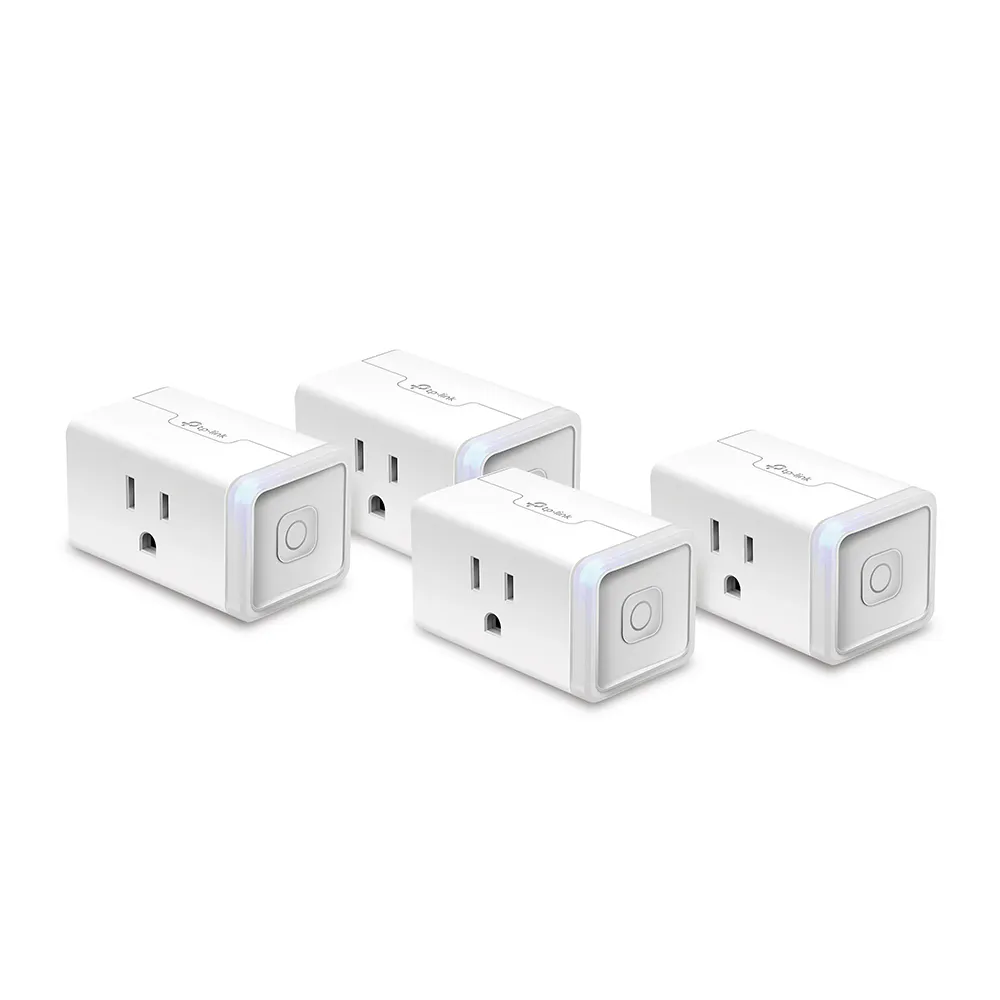
1. Smart Plugs First ($35)
Affiliate: Check price on Amazon →
Four plugs is the highest-leverage $35 in a rental. You immediately get:
- Every lamp in the apartment on a schedule and voice control
- A space heater that cannot be left on by accident
- A coffee maker that starts before your alarm
- Holiday lights that make the place look occupied
Buy this first even if you buy nothing else. Full detail in our smart plugs guide.
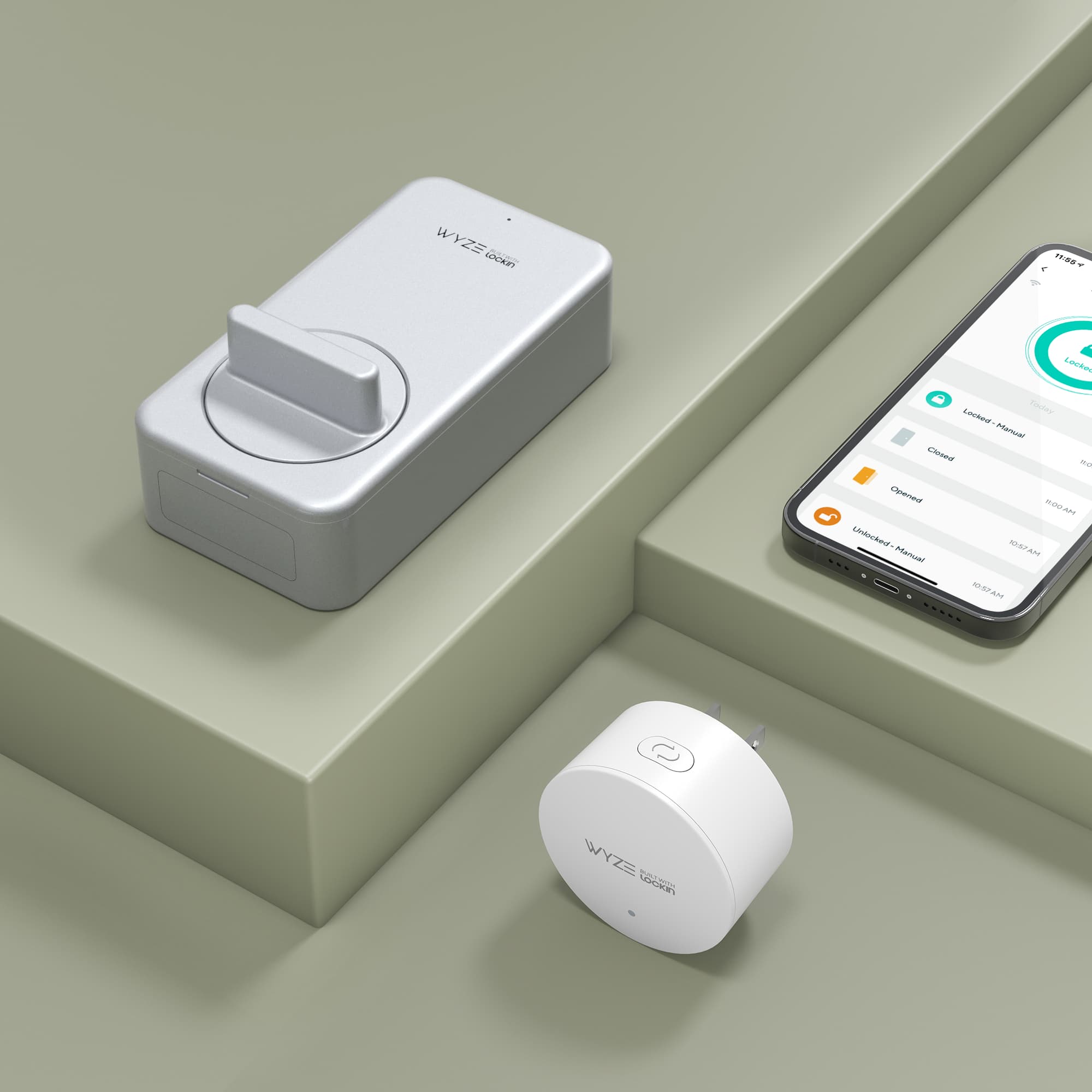
2. A No-Drill Smart Lock ($89)
Affiliate: Check price on Amazon →
The Wyze Lock replaces only the inside half of your existing deadbolt. Your landlord's key still works from outside, nothing is drilled, and you get auto-unlock when you walk up with your phone.
This is the single biggest quality-of-life upgrade in the kit — no more patting pockets on the landing. See the full smart lock comparison for the SwitchBot and August alternatives.
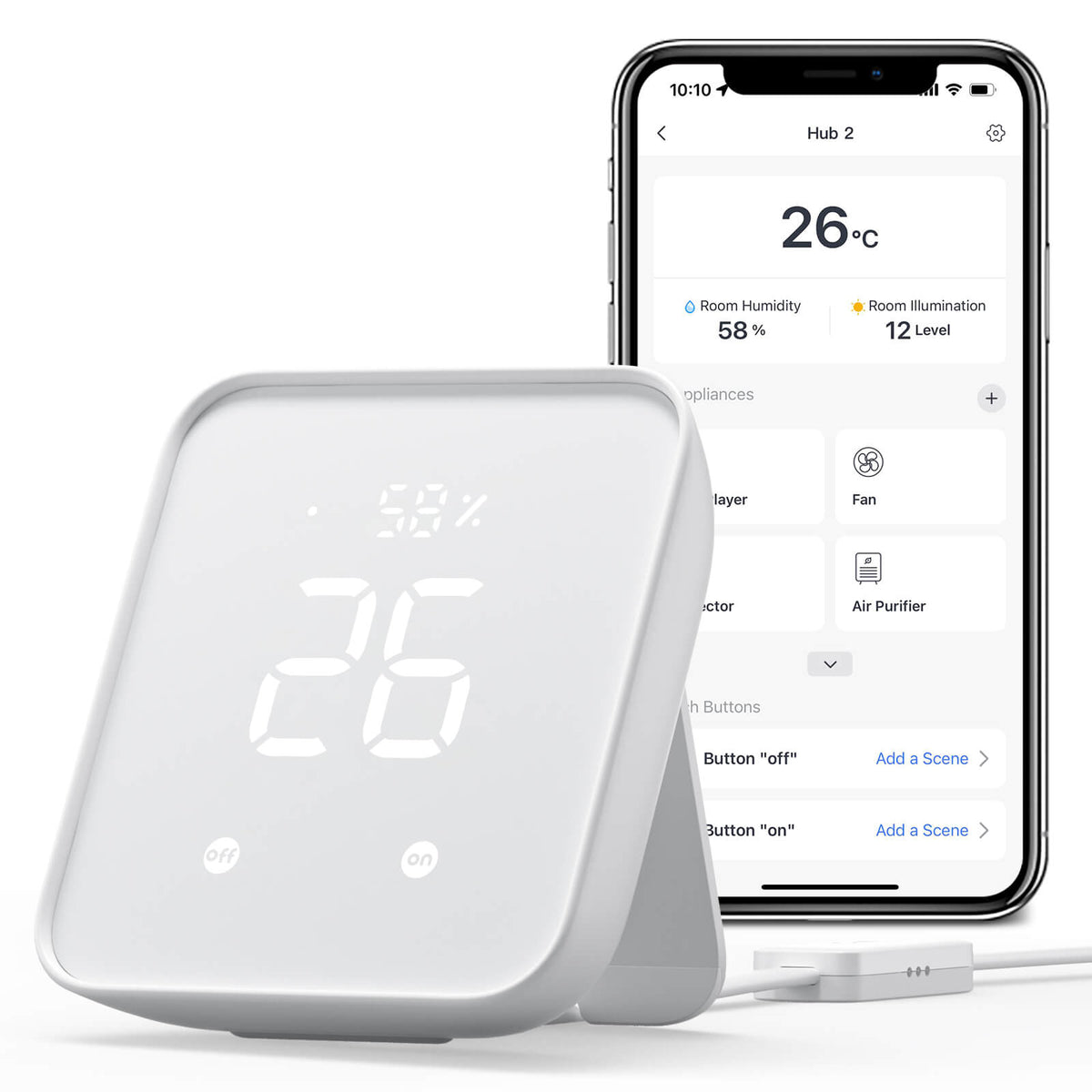
3. The AC Controller ($70)
Affiliate: Check price on Amazon →
Most apartments do not let you swap the thermostat. The Hub 2 controls it over infrared instead — nothing unscrewed, nothing wired. It also doubles as a temperature/humidity sensor and a Matter bridge for the rest of your devices.
If you have a ductless mini-split, spend the extra $50 on a Sensibo Sky instead. Read smart thermostats for renters first.
4. Accent Lighting ($25)

Affiliate: Check price on Amazon →
Adhesive LED strip along the back of a desk or the top of a kitchen cabinet. It is the cheapest way to make a rental feel like yours, and it peels off.
Fair warning: cheap LED strips have mediocre adhesive. Buy a pack of 3M command strips and use those instead of the included tape.
5. One Indoor Camera ($30)
Affiliate: Check price on Amazon →
A $30 camera on a bookshelf covers the front door and the living room. It sits on a surface, needs no mounting, and unplugs when you move.
If you want outdoor coverage, that is a different purchase — see renter security cameras.
What This Kit Does Not Include (On Purpose)
- A security system. Real monitored systems start around $200 and deserve their own budget. See renter security systems.
- A video doorbell. Apartments often have shared entryways where a doorbell is not yours to mount. If yours is a private door, add one later.
- Smart bulbs. Plugs cover lamps more cheaply. Bulbs matter when you want dimming and colour — see smart lighting for renters.
- A hub for everything. Matter means you increasingly do not need one.
Setup Order (Do It In This Order)
- Plugs first, day one. They take five minutes and change your daily routine immediately.
- Lock second. Do it on a weekend when you have time to test the auto-unlock radius.
- AC controller third. You need a warm afternoon to confirm it learned the right codes.
- Camera fourth. Set it up last so it is not watching you install everything.
- LED strip whenever. It is the fun one; save it for a day you need a win.
Total Cost of Ownership
| Item | Upfront | Ongoing |
|---|---|---|
| Kasa plugs | $35 | $0 |
| Wyze Lock | $89 | $0 (batteries ~$8/yr) |
| SwitchBot Hub 2 | $70 | $0 |
| Govee strip | $25 | $0 |
| Ring Indoor Cam | $30 | $0 self-monitored, $5/mo with recording |
| Total | $249 | $0–60/yr |
No subscriptions are required for any of it. The Ring camera works as a live view for free; recording needs the plan.
When You Move
Every item in this kit comes with you:
- Unplug the four smart plugs
- Take the Wyze Lock off the inside of the door and refit the original thumb turn
- Unplug the Hub 2
- Peel the LED strip (gently, with a little warmth)
- Unplug the camera
Total time: about 25 minutes. See moving with a smart home for the full checklist.
Frequently Asked Questions
Is $250 enough for a whole apartment? For a one-bedroom, yes. For a two-bedroom you will want a second camera and maybe two more plugs — budget $320.
Do I need a hub? No. Every device in this kit connects directly, and the Hub 2 is for the AC, not for the others.
What if I have no smart home experience? Start with the plugs alone. If you like it, come back for the rest. The kit is ordered so that stopping after step one still leaves you with something useful.
Will any of this annoy my landlord? No drilling, no wiring, no permanent fixtures. The lock changes the inside of the door only, and it goes back before you move out.
Should I wait for a sale? Amazon discounts this exact stack heavily around Prime Day and Black Friday. The plugs and the LED strip routinely hit 40% off.
Affiliate Disclosure
We earn a commission from Amazon when you buy through our links, at no extra cost to you. It does not change what we recommend — this kit is what we actually run.
Last updated: October 31, 2026
Affiliate Disclosure
We earn a commission from Amazon and other retailers when you buy through our links, at no extra cost to you. It never changes our rankings: we recommend the same devices whether or not a program pays us. Read the full policy.