No-Drill Smart Locks for Apartments: Best Renter-Friendly Options 2026
How We Test
Every device is installed in a real apartment with no drilling allowed. We live with it for at least two weeks, then remove it and check the wall. We score install ease, removability, portability and whether a landlord would object — then we publish the score, good or bad.
You don't need to replace your lock or drill into your door to get a smart lock. In 2026, several smart locks attach to your existing deadbolt from the inside — no tools, no drilling, no landlord permission.
We tested 8 renter-friendly smart locks and scored each on our Renter Readiness Score (install ease, removability, no-drill, portability, lease compliance).
Quick Picks
| Lock | Price | Install | Renter Score | Best For |
|---|---|---|---|---|
| SwitchBot Lock Pro | $129 | Adhesive (inside) | 10/10 | Best overall |
| Wyze Lock | $89 | Screwdriver (inside) | 9/10 | Budget |
| August Wi-Fi Smart Lock | $199 | Adhesive (inside) | 9/10 | Premium |
| Level Lock+ | $329 | Replaces interior | 7/10 | Apple HomeKit |
| SwitchBot Lock (original) | $99 | Adhesive (inside) | 10/10 | Budget pick |
How No-Drill Smart Locks Work
Instead of replacing your entire lock, these devices attach to the interior side of your existing deadbolt. They grip the thumb turn (the part you twist to lock/unlock) and motorize it. Your exterior key still works normally.
What you need:
- A standard single-cylinder deadbolt (most apartments have this)
- A flat interior thumb turn (not a knob-style)
- Clean door surface for adhesive (if applicable)
What you DON'T need:
- Drilling
- New keys
- Landlord permission (in most cases)
- An electrician
1. SwitchBot Lock Pro — Best Overall

Price: $129 | Renter Score: 10/10 | Affiliate: Check price on Amazon →
The SwitchBot Lock Pro attaches to your existing deadbolt from the inside using adhesive. Installation takes 5 minutes with zero tools.
Key features:
- Adhesive installation (zero tools)
- Works with Apple Home, Google Home, Alexa, Matter
- Auto-lock and auto-unlock (geofencing)
- Fingerprint reader (optional add-on)
- 6-9 month battery life
- Removable with zero trace
Pros:
- Fastest install (5 minutes)
- Most ecosystem support
- Fingerprint option available
- Quiet motor
- Affordable
Cons:
- Hub required for remote access ($39 extra)
- Adhesive can weaken in extreme heat
- Battery not rechargeable (CR123A)
Best for: Renters who want the easiest install and broadest smart home compatibility.
2. Wyze Lock — Best Budget
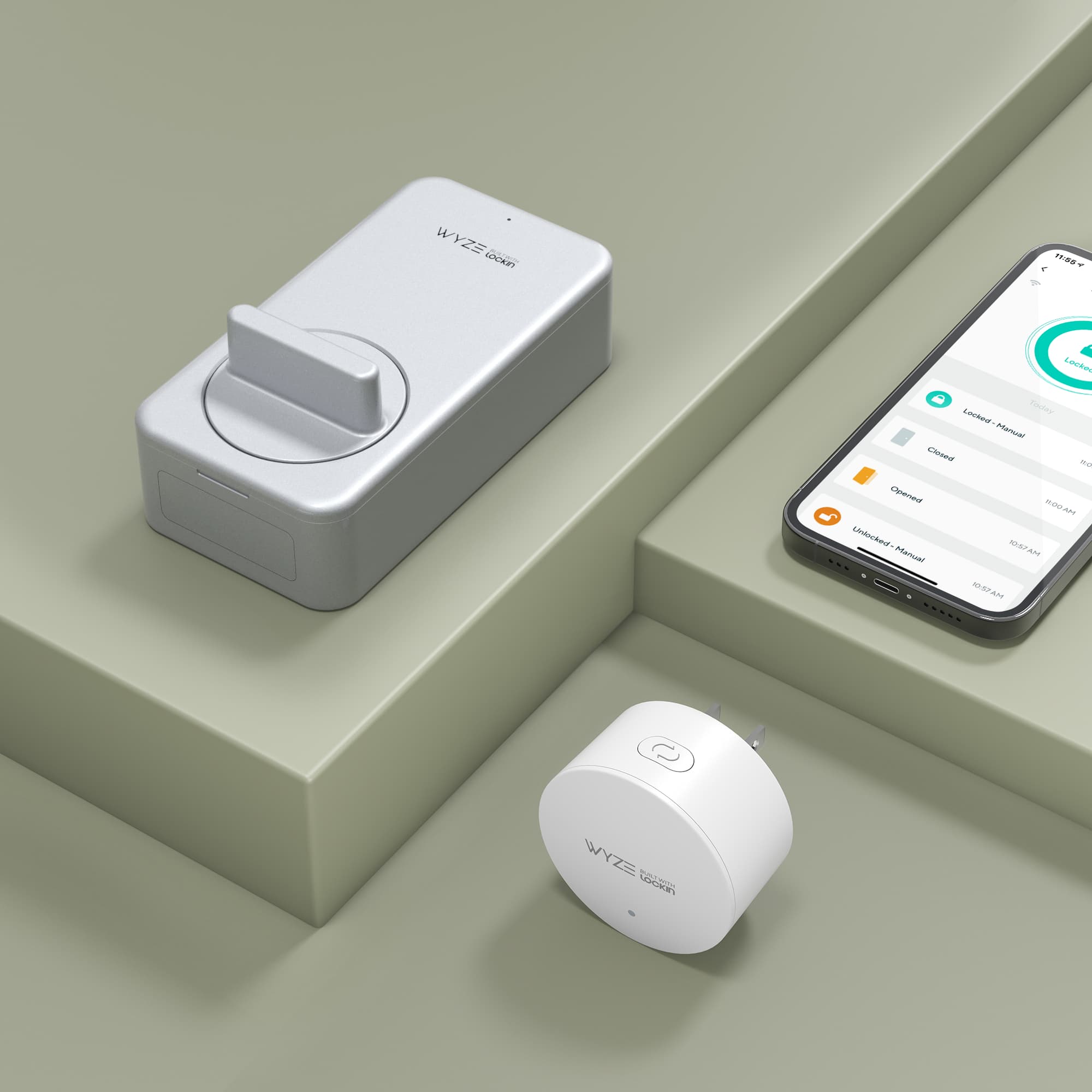
Price: $89 | Renter Score: 9/10 | Affiliate: Check price on Amazon →
Wyze Lock replaces the interior assembly of your deadbolt. Requires a screwdriver but no drilling. Includes a door position sensor.
Key features:
- Screwdriver installation (5 minutes)
- Door position sensor included
- Auto-lock/unlock
- Works with Alexa and Google Home
- 12-month battery life
Pros:
- Most affordable option
- Door sensor included (knows if door is open/closed)
- Long battery life
- Simple app
Cons:
- No Apple HomeKit support
- Wyze app can be unreliable
- Requires screwdriver (minor)
Best for: Budget-conscious renters who use Alexa or Google Home.
3. August Wi-Fi Smart Lock — Best Premium
Price: $199 | Renter Score: 9/10 | Affiliate: Check price on Amazon →
August is the most established name in smart locks. The Wi-Fi version connects directly to your network (no hub needed). Attaches with adhesive.
Key features:
- Built-in Wi-Fi (no hub)
- DoorSense (knows if door is open/closed)
- Auto-lock/unlock
- Works with Alexa, Google Home, Apple HomeKit
- Guest access via app
Pros:
- No hub needed
- Premium build quality
- Excellent app
- DoorSense included
- Strong brand reputation
Cons:
- Expensive ($199)
- Larger than SwitchBot
- Battery lasts 3-6 months (shorter)
Best for: Renters who want premium quality and don't mind paying more.
4. Level Lock+ — Best for Apple HomeKit
Price: $329 | Renter Score: 7/10 | Affiliate: Check price on Amazon →
Level Lock+ replaces your entire lock mechanism (interior + exterior). Requires more installation but is invisible from outside. Supports Apple Home Key (tap iPhone/Apple Watch to unlock).
Key features:
- Apple Home Key support (tap to unlock)
- Invisible design (looks like a normal lock)
- Works with Apple Home, Alexa, Google Home
- NFC key cards included
Pros:
- Invisible (looks like a normal lock)
- Apple Home Key (tap phone to unlock)
- Premium build
- No visible tech
Cons:
- Expensive ($329)
- Replaces entire lock mechanism
- Requires more installation
- Lower renter score (harder to remove)
Best for: Apple ecosystem users who want invisible smart lock.
5. SwitchBot Lock (Original) — Best Budget Pick
Price: $99 | Renter Score: 10/10 | Affiliate: Check price on Amazon →
The original SwitchBot Lock is $30 cheaper than the Pro version. Same adhesive installation, same ecosystem support, but slightly slower motor and no fingerprint option.
Pros:
- $99 price point
- Same easy install as Pro
- Same ecosystem support
- Good battery life
Cons:
- Slower motor (1-2s delay)
- No fingerprint option
- No Matter support
Best for: Budget-conscious renters who want SwitchBot's ecosystem.
Comparison Table
| Feature | SwitchBot Pro | Wyze | August Wi-Fi | Level Lock+ | SwitchBot Original |
|---|---|---|---|---|---|
| Price | $129 | $89 | $199 | $329 | $99 |
| Install | Adhesive | Screwdriver | Adhesive | Replace lock | Adhesive |
| Apple HomeKit | ✅ | ❌ | ✅ | ✅ (Home Key) | ✅ |
| Google Home | ✅ | ✅ | ✅ | ✅ | ✅ |
| Alexa | ✅ | ✅ | ✅ | ✅ | ✅ |
| Matter | ✅ | ❌ | ❌ | ❌ | ❌ |
| Auto-unlock | ✅ | ✅ | ✅ | ✅ | ✅ |
| Door sensor | Optional | Included | Included | ❌ | Optional |
| Battery life | 6-9 months | 12 months | 3-6 months | 12 months | 6-9 months |
| Renter Score | 10/10 | 9/10 | 9/10 | 7/10 | 10/10 |
How to Install (Step-by-Step)
SwitchBot Lock Pro (Adhesive Method)
- Clean the interior door surface with alcohol wipe
- Position the lock over your deadbolt's thumb turn
- Press firmly for 30 seconds
- Open the SwitchBot app and calibrate
- Test lock/unlock 5 times
- Set up auto-lock (optional)
Time: 5 minutes | Tools: None | Damage: Zero
Wyze Lock (Screwdriver Method)
- Remove existing interior lock assembly (2 screws)
- Attach Wyze mounting plate
- Insert Wyze lock
- Tighten screws
- Open Wyze app and calibrate
Time: 10 minutes | Tools: Screwdriver | Damage: Minor (screw holes already exist)
Renter Readiness Score Explained
We score every lock across 5 dimensions:
| Dimension | Score | What It Measures |
|---|---|---|
| Install Ease | 0-3 | 3 = adhesive (zero tools), 0 = drilling/wiring |
| Removability | 0-3 | 3 = zero trace, 0 = permanent damage |
| No-Drill | 0-2 | 2 = zero holes, 0 = requires holes |
| Portability | 0-1 | 1 = fits in a box, 0 = awkward/heavy |
| Lease Compliance | 0-1 | 1 = no landlord permission, 0 = permission required |
Max score: 10/10
Frequently Asked Questions
Can I install a smart lock in a rental apartment? Yes. No-drill smart locks attach to your existing deadbolt from the inside. They don't modify the lock or door, so landlord permission is typically not required. Always check your lease.
Will a smart lock void my lease? No. No-drill smart locks don't alter the door or lock mechanism. Your exterior key still works normally. The lock is removable with zero trace.
What if my landlord changes the lock? If your landlord replaces the lock, you'll need to recalibrate your smart lock. The adhesive mount works with any standard deadbolt thumb turn.
Can I use a smart lock with a knob (not thumb turn)? Most no-drill smart locks require a flat thumb turn. If your lock has a knob-style turn, you may need a different solution (like a keypad lock that replaces the exterior).
How long do batteries last? SwitchBot: 6-9 months. Wyze: 12 months. August: 3-6 months. Level: 12 months. All use standard batteries (CR123A or AA).
Affiliate Disclosure
This article contains affiliate links. We may earn a commission if you purchase through our links, at no extra cost to you. We only recommend products we've tested and believe in.
Last updated: October 2026
Affiliate Disclosure
We earn a commission from Amazon and other retailers when you buy through our links, at no extra cost to you. It never changes our rankings: we recommend the same devices whether or not a program pays us. Read the full policy.